Search with Wireshark filters in CloudShark Enterprise Deep Search
Some tools can help you search based on indexed metadata, but that’s not enough when you need to look at the packets. CloudShark Enterprise Deep Search is powered by Wireshark’s full display filter syntax, letting you search for anything you could filter on inside Wireshark, at scale, across your entire repository of capture files.
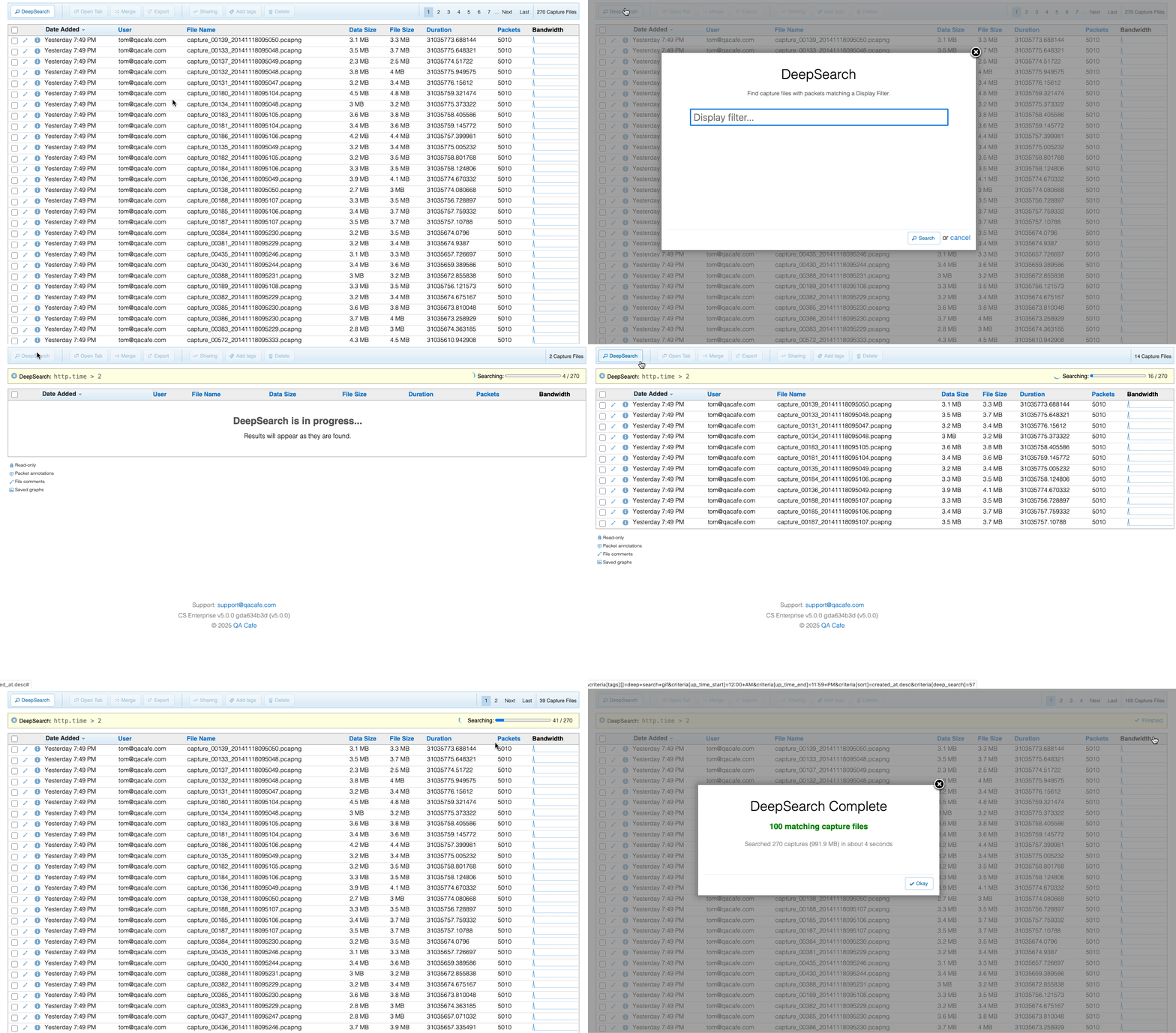
Define what you’re looking for using standard Wireshark display filters (like ip.addr == 198.51.100.42 and dns.qry.name contains "example.com"), and Deep Search returns matching results from every capture in your repository.
Why use Wireshark filters across your entire capture set?
Wireshark is powerful because it understands thousands of protocols and gives you access to every field inside every packet. Once you open a capture, you can use display filters to zero in on almost anything.
By using those Wireshark filters at the search level, you can identify files that contain packets that match the filter you used, directly searching on things like:
- Specific IP addresses
- A SIP Call-ID
- Domains of a DNS query
- Failed or suspicious TLS handshakes
- Non-standard protocols running over an expected port
- TCP timing problems, resets, and congestion
- Contents of a conversation
- Decrypted text
- More deep stuff!
Instead of trying to find the correct file before searching, you just search. CloudShark Enterprise finds every instance of that IP, query string, or protocol, across every capture, regardless of when or where it was collected.
Because it uses the full power of Wireshark display filters, you can:
- Use regular expressions
- Perform mathematical comparisons (e.g., frame.len > 1500)
- Search by protocol presence or absence
- Combine with AND/OR logic across multiple layers
Packet captures can come from all over your organization: firewalls, probes, branch offices, customer sites, and developer tools. As a result, teams often end up with thousands of files collected from different systems, teams, and times. Navigating that with filter-level search capability is incredibly powerful.
That’s what solving the “needle in the haystack” problem looks like: comprehensive, scalable visibility that meets the speed of your investigation.
Revisiting the past to solve the present
Another common situation: What if an issue pops up today, but there’s a nagging suspicion you’ve seen something like it before?
Maybe it’s a misbehaving application, a burst of strange DNS queries, or a short-lived connection to an unfamiliar domain. It was small enough to ignore at the time, but now, it might be part of a larger pattern.
If you regularly store your packet capture data for historic forensic data, that traffic is likely still in your archive. But without a way to search broadly across your historical data, that insight stays buried.
The ability to perform a historical search turns every investigation into a richer story. You’re no longer just reacting to what’s in front of you; you’re identifying patterns, detecting trends, and building context from weeks or months of network activity.
Exploring Deep Search on your own data
This is packet search at enterprise scale, designed for teams who need fast, comprehensive answers, even when their capture environment is massive, distributed, and complex. If you’re drowning in PCAP files from all over the place with no way to handle them, let us show you a demo of CloudShark Enterprise.
